

Adjustable rendering
Inference steps and guidance offer control over how a visual brief is interpreted.
Flux · Image
FLUX 2 Flex is Black Forest Labs' image model with adjustable generation behavior. It pairs typography-focused image creation with control over the rendering process.
Flex is part of the FLUX.2 release introduced by BFL on 25 November 2025. Official source
FLUX 2 Flex is the FLUX.2 variant for people who want more influence over rendering behavior. Its official positioning centers on typography, precise visual instructions and creative control. It combines image generation and editing with adjustable inference choices rather than presenting every image as a fixed one-click quality tier.
That control is relevant when a brief depends on a specific text treatment, graphic layout or balance between adherence and variation. It also adds a decision: more settings do not automatically produce a better result, so the value of Flex is the ability to investigate a particular visual requirement deliberately.
A text-heavy composition needs an explicit reading order. Put the exact wording in quotation marks, say where it belongs and limit the first attempt to a short headline. Describe the background separately so the model does not have to infer which words are instructions and which should appear in the artwork.
Mianvo exposes guidance, seed, canvas shape and output format for Flex. Keep the seed and composition unchanged while comparing guidance values. If the words are still wrong, shorten or clarify the wording before raising guidance again. Inference steps are fixed in this integration; the model family's adjustable-step capability is not an extra control in this workspace.
A square illustrated poster for a neighborhood flower market. The only text is "SUNDAY BLOOMS", large and centered across the upper third. A single yellow vase of tulips sits below it on a pale blue table. Clear separation between the headline and flowers, flat warm colors, no small print or additional words.
Check every letter, spacing and the headline's position. Then compare the vase outline and flower count. For approved brand typography, finish the lettering in a design editor rather than treating a plausible-looking word as correct.
Text to image AI: start a new poster and select FLUX 2 Flex.
AI image editor: revise an existing composition with a visual reference.
FLUX Kontext Max: compare a model focused on source-image edits rather than adjustable rendering.
MODEL CAPABILITIES
Inference steps and guidance offer control over how a visual brief is interpreted.
Text rendering is a focus for designs that combine imagery with written content.
Pro is the streamlined production choice. Flex exposes more deliberate control for briefs where typography or the rendering process needs attention.
Max is positioned around maximum overall quality and grounding. Flex’s defining distinction is controllability, not simply a place below Max on one universal quality ladder.
Specifications describe the documented model or named variant. Availability and input combinations can differ between products and endpoints.
| Primary tasks | Image generation and editing |
|---|---|
| Family resolution | Up to 4 megapixels |
| Rendering controls | Inference steps and guidance in the hosted reference |
| Creative emphasis | Typography and precise composition |
CREATIVE POSSIBILITIES
Ideas to explore with this model.
These considerations combine documented scope with editorial checks for evaluating a result. They are not claims of measured failure rates.
FLUX.2 [flex] is developed by Black Forest Labs. FLUX 2 Flex is the FLUX.2 variant for people who want more influence over rendering behavior. Its official positioning centers on typography, precise visual instructions and creative control. It combines image generation and editing with adjustable inference choices rather than presenting every image as a fixed one-click quality tier.
Model family launch: November 25, 2025. Flex is part of the FLUX.2 release introduced by BFL on 25 November 2025.
It provides a more adjustable rendering approach, especially relevant to typography and structured visual briefs. Pro and Max emphasize different speed and quality priorities.
Official developer publications provide background on the model, its versions and release history.
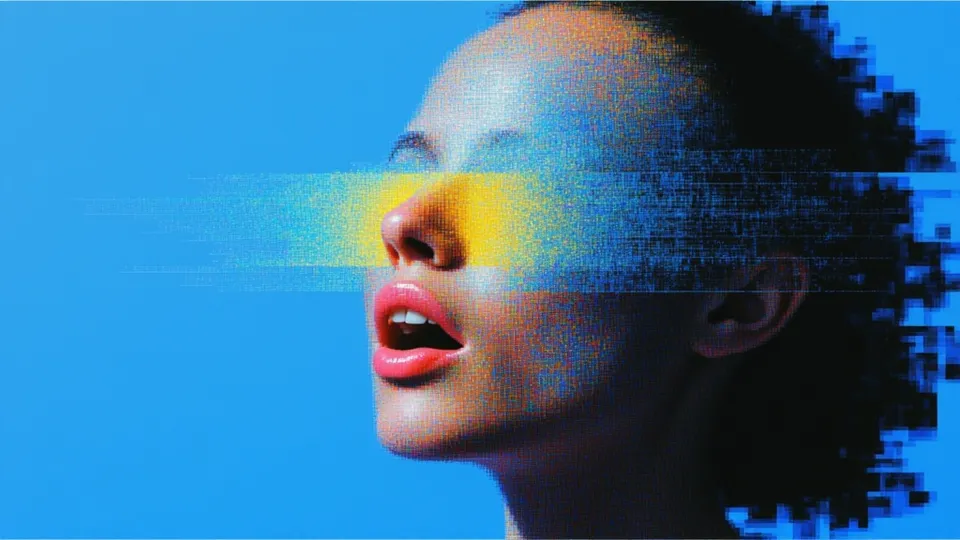
The model preview above is supplied by fal. It is not presented as a Mianvo-generated result.
KEEP EXPLORING
FLUX 3 Image is Black Forest Labs' model for image generation and reference-based editing. It can build a new scene while using reference images to guide subjects, products or style.
FLUX 2 Pro is Black Forest Labs' image model for production-oriented visual creation. It emphasizes detailed imagery with a streamlined approach to generation.
FLUX 2 Max is Black Forest Labs' image generation and editing model with an emphasis on realism, precision and consistency. It targets visual work where detailed results matter.