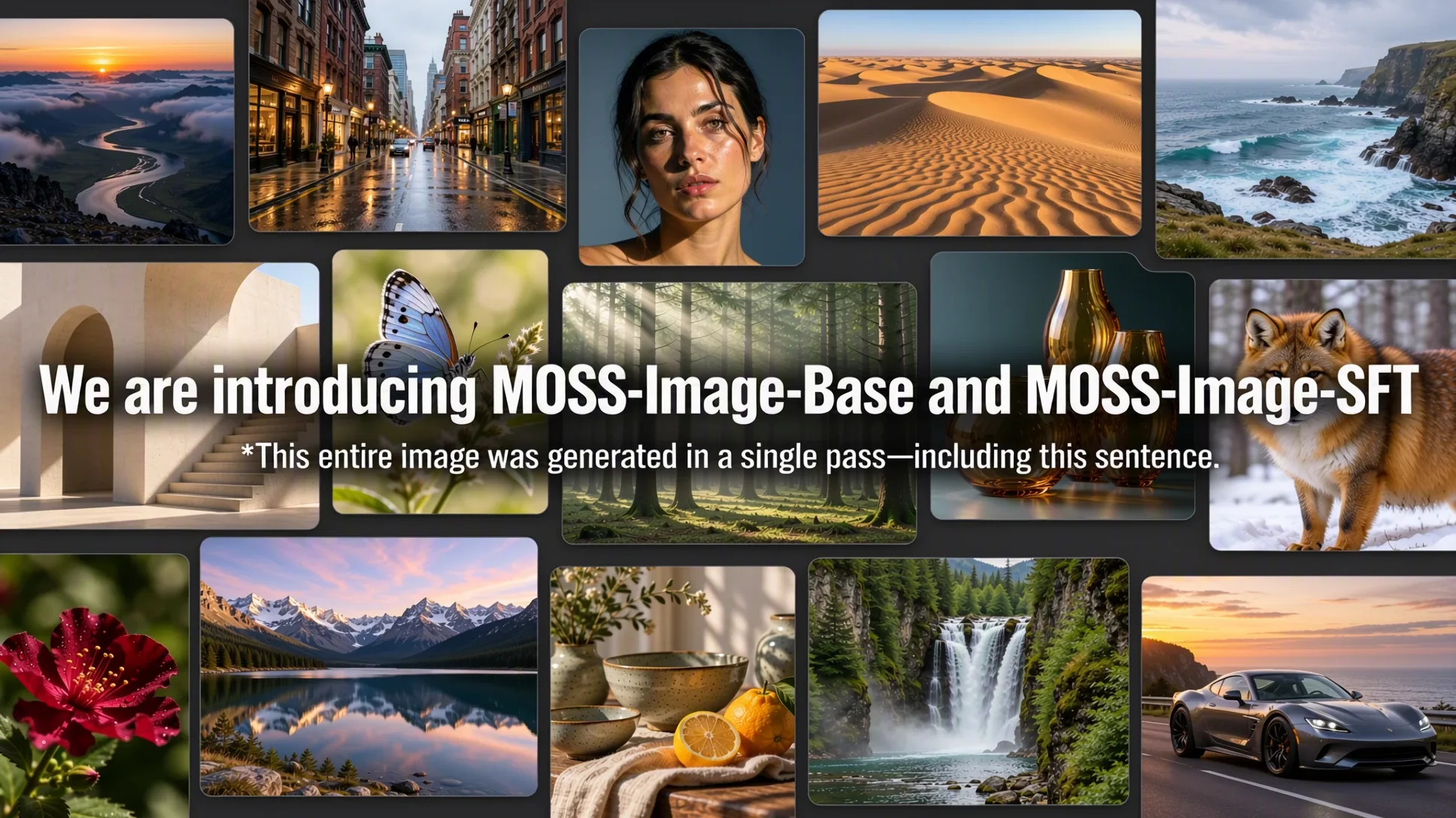
OpenMOSS released the MOSS-Image family on October 16, 2026, with Base and SFT checkpoints, public code and model weights. The image-generation family focuses on written content and composition: it accepts ordinary descriptions as well as structured instructions for positioning words and objects. An October 20 repository update separately announced access through the MOSI API Platform. These are dated release announcements; API pricing, account eligibility and service performance were not verified for this article. Official release history.
What makes MOSS-Image different?
The distinguishing interface is native layout prompting. A user can describe the whole scene, specify exact text, and assign positions to individual elements within one request. That is relevant to posters, explanatory graphics and other images where the reading order matters. It does not establish that every generated word or position will be correct. The project's own guide still labels layout prompts experimental. Project overview, official user guide.
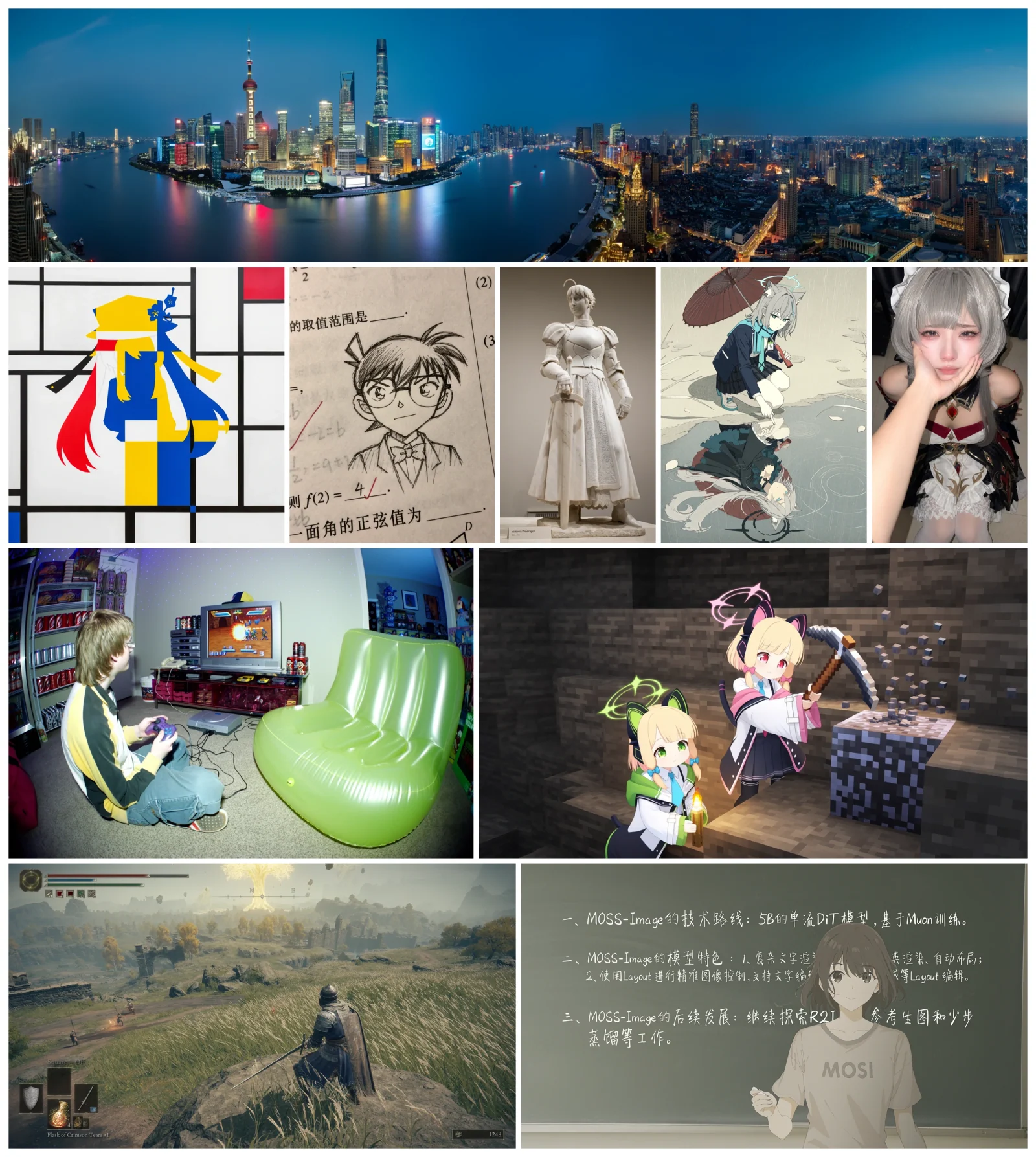
Source: OpenMOSS official project showcase.
Base and SFT: two checkpoints, one pipeline
Base is the foundation text-to-image checkpoint. SFT is a supervised fine-tuned version derived from Base, and the model card says both share their architecture and inference pipeline. Both MOSS-Image checkpoints support natural-language prompts, tag sequences and JSON layouts. The published whiteboard comparison shows more coherent text grouping in SFT, but the card describes a particular example. It is not a universal quality ranking. SFT model card.
Editorial assessment: compare both on the same intended task before choosing. A useful comparison would hold the requested wording, resolution and sampling settings constant, then record missing words, misplaced elements and visual quality separately. Include a short headline, a multi-line paragraph and mixed text with illustrations. Check each requested string against the image rather than judging only the overall impression. This article has not run that comparison.
Verified architecture and generation specifications
The MOSS-Image technical report describes a five-billion-parameter, single-stream diffusion transformer trained from scratch. Its broader system also includes a prompt-enhancement component, so system-level evaluation results should be distinguished from results for the image backbone alone. Technical report.
| Specification | Documented detail |
|---|---|
| Backbone | 5B-parameter single-stream DiT |
| Checkpoints | Base and supervised fine-tuned SFT |
| Prompt length | Up to 4K tokens |
| Input forms | Natural language, tags and JSON layouts |
| Default sampling | Flow-matching Euler, 50 steps, CFG 3, shift 5 |
| Python image dimensions | Positive multiples of 16 |
The prompt limit comes from the project overview; the inference defaults and dimension constraint come from the Base model card. These settings describe a starting configuration, not a promised generation time or a GPU-memory requirement.
Text rendering and layout: what the examples show
The project page provides a travel-poster example with a cream background, a blue mountain illustration and a title above it. Its JSON separates the scene description from individual text and object entries. Each entry includes a bounding box; the text entry also contains the actual words to render. The accompanying box diagram represents the requested input arrangement, rather than a generated image. Official layout example.
Coordinates are centered pixels in [y_min, x_min, y_max, x_max] order. Both axes on a 1024-by-1024 canvas extend from minus 512 to plus 512. The output size must agree with the layout. Layout format documentation.
Another official example requests a handwritten Chinese shopping note on a refrigerator. It illustrates the intended combination of a scene and several lines of visible writing. It should be read as a supplied example, not as a reliability test across arbitrary handwritten notes. Base example prompt.
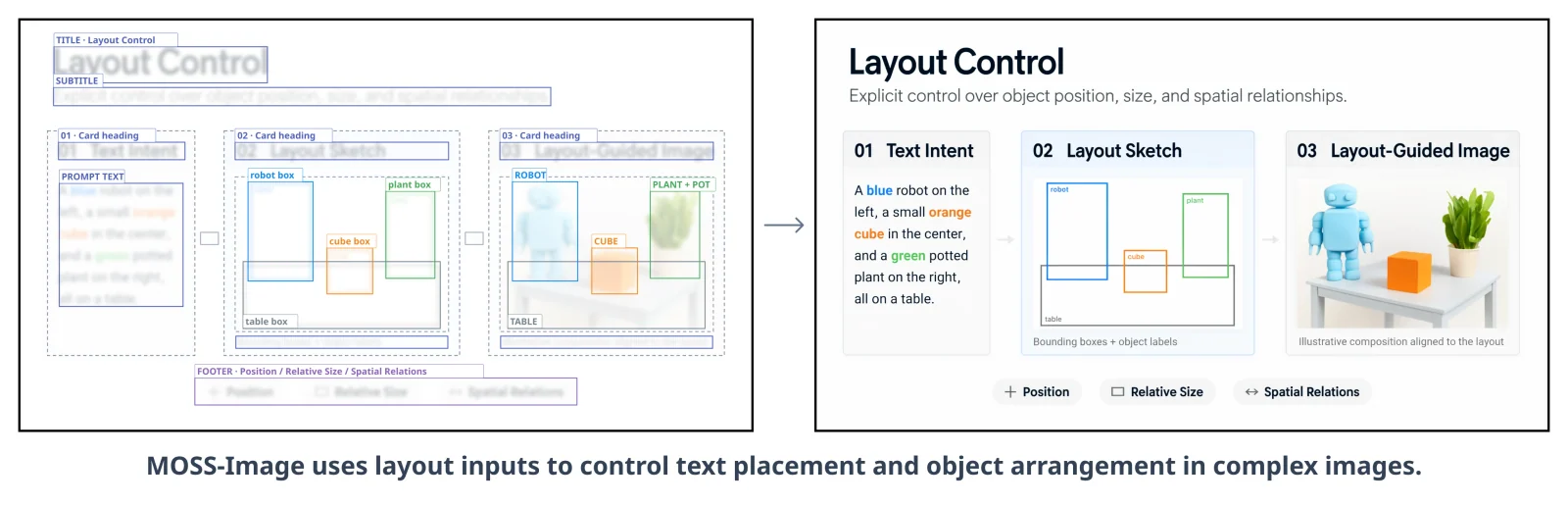
Source: OpenMOSS layout-control illustration.
The prompt enhancer prepares input
OpenMOSS also publishes a prompt-enhancer skill. It develops an image idea into a caption or spatial layout, while a bundled Python script handles coordinate conversion and JSON serialization. The skill itself does not generate images. Its guidance favors captions for ordinary photographs and illustrations, and layouts when text placement, panels or object relationships need explicit control. It also tells the agent to preserve the requested visible wording and line breaks. Official MOSS-Image prompt-enhancer instructions.
For readers evaluating the release, that distinction matters: preparing a more detailed request and generating an image are separate steps. A well-specified layout can express intent; the resulting image still needs review.
Benchmarks: reported results and their scope
The authors introduce LongLongTextBench for long English and Chinese text, and RealLayoutArena for images with complex layouts. The report's abstract gives an average text-coverage result of 96.3% on LongLongTextBench. It also reports second place for the end-to-end system on RealLayoutArena, and first among image generators when using shared enhanced prompts. These are the authors' reported results under their evaluation setup, not independently reproduced findings from this publication. MOSS-Image Technical Report.
Editorial interpretation: text coverage is one useful signal, but a publication workflow also needs spelling, ordering, legibility and composition checks. A benchmark percentage should not be treated as the probability that a finished poster will require no correction.
Access and hardware requirements
The Base model card documents a local Diffusers route using Python 3.10 or later, a CUDA-capable NVIDIA GPU and a compatible PyTorch installation. The example loads the custom pipeline and uses bfloat16 for the transformer and text encoder, with float32 for the VAE. It is a software setup example, not a guarantee that every NVIDIA card has enough memory. Base installation instructions.
The repository also offers a Gradio interface with memory modes. Keeping the model on the GPU differs from moving components between CPU and GPU; its sequential fallback uses less GPU memory at the cost of slower inference. The guide suggests that fallback or a smaller image when memory is insufficient. The hosted MOSI announcement provides another access route, but establishes neither a free tier nor specific throughput. Repository setup and memory guidance.
ComfyUI users should check the workflow version
The dedicated integration guide documents native support in a sufficiently recent ComfyUI master/nightly build, alongside an optional loader for local Hugging Face directories. It warns that switching from the plugin workflow to native support requires a native workflow; replacing only the loader is insufficient. The Hugging Face cards still describe plugin installation, so readers should consult the dedicated integration guide for the route they intend to use. Official ComfyUI guide.
Licensing and practical limits
The SFT model card identifies the model weights and bundled inference code as Apache-2.0. The project page adds that third-party components retain their own licenses. Those statements should remain distinct from claims about the rights in any particular generated image. Model license statement, project licensing note.
The user guide recommends at least 50 inference steps for best results and warns that automatic line breaks may differ from expectations. Explicit line breaks can improve control. Its experimental layout label is a further reason to inspect the output before using text-heavy artwork. Neither that guidance nor the showcases establishes a latency guarantee. User guide recommendations.
Practical questions
Which MOSS-Image checkpoint should I try first?
SFT is the fine-tuned option, while Base preserves a foundation checkpoint for adaptation. The official comparison favors SFT in one whiteboard example; choose using representative prompts rather than assuming the same outcome on every design. Checkpoint comparison.
Do I need JSON for every image?
No. The prompt-enhancer instructions recommend a caption for ordinary scenes. JSON is useful when a specific arrangement, panel structure or visible text placement justifies explicit boxes. Prompt format guidance.
Does native layout control guarantee final typography?
No. The guide labels the feature experimental and notes that text layout can miss expectations. Treat requested words and positions as inputs to verify against the generated result. Documented layout limitations.