Voxtral 3 is Mistral’s new speech family and voice-agent toolkit, bringing transcription, generated speech and conversational applications into one release. Its model cards are dated October 20, 2026 and marked public preview. For developers evaluating the announcement, the essential distinction is between models that process recordings, models that listen to live audio, and the SDK that connects speech with reasoning and tools. Those components have different prices and launch restrictions. Release announcement, Small Transcribe model card
Source: Mistral launch announcement · Watch the official demonstration.
Voxtral 3 models and API prices
Mistral lists separate models for recorded transcription, realtime transcription and speech generation. The following prices are the official published USD rates checked for this article; they describe different billing units, so they should not be compared as if each row priced a complete conversation.
| Component | Model ID | Main role | Published API rate |
|---|---|---|---|
| Mini Transcribe 3 | voxtral-mini-transcribe-3-0 |
Transcribe recorded audio | $0.0035 per minute |
| Small Transcribe 3 | voxtral-small-transcribe-3-0 |
Higher-quality recorded transcription | $0.004 per minute |
| Mini Transcribe Realtime 3 | voxtral-mini-transcribe-realtime-3-0 |
Transcribe live audio streams | $0.008 per minute |
| TTS 3 | voxtral-mini-tts-3-0 |
Generate speech from text | $13 per million characters |
Rates and model IDs come from the official Mini, Small, Realtime and TTS cards.
For a simple cost illustration, 60 minutes of recorded audio at the listed rates would cost $0.21 with Mini or $0.24 with Small. Sixty minutes of realtime transcription would be $0.48. These are arithmetic examples for transcription alone, before any separately billed application components. They do not estimate a voice agent’s total cost or a deployment contract.
Recorded transcription and realtime listening are different choices
The speech-to-text guide recommends Mini as the starting point for recordings. Small is the alternative when transcription errors remain after supplying custom vocabulary. Both offline models list a 32k context window on their cards. Here, offline means processing an existing recording; it does not mean the hosted API works without an internet connection. Speech-to-text guide, Mini model card, Small model card
Recorded-file transcription can return segment timestamps and speaker labels. Word timestamps are unavailable. Context biasing lets an application provide terminology or names. Realtime transcription instead receives live audio over a WebSocket and emits text while a person speaks; it has turn detection, but its segments do not include start and end timestamps. Feature comparison
The realtime model card lists a configurable streaming delay from 80 to 2,400 milliseconds. That setting should not be read as an end-to-end response guarantee: a conversational application still has reasoning, tool execution, speech generation and playback to perform. Mistral also documents a specific configuration restriction: diarization and turn detection cannot be enabled in the same realtime session. A request that combines them returns an error. Realtime model card, Session restriction
For an evaluation, the useful comparison is the same representative recording through Mini and Small, followed by a separate live-audio trial if the application needs immediate captions or conversational turn-taking. A lower per-minute price alone does not establish which model will produce an acceptable transcript for a particular accent, microphone or subject.
Voxtral 3 speech generation and delivery controls
Voxtral TTS 3 supports 35-plus languages and 50-plus dialects. Its model card lists voice cloning, five output formats, 34 emotion tags and two pace tags. The published $13 rate applies per million text characters, rather than per minute of generated audio. That unit matters when estimating narrated scripts: speaking duration varies with the text and delivery. TTS model card
The speech-generation guide distinguishes complete-text generation from the realtime model used for voice conversations. For offline requests, developers can select preset or cloned voices, add inline emotion tags, choose slow or fast, and control custom pronunciation. Outputs include MP3, WAV, PCM, FLAC and Opus. Audio can stream back before the whole result is complete. Text-to-speech guide
There is an important launch boundary: free-form style instructions are documented as unavailable. A product should therefore rely on documented tags and pronunciation controls rather than promise that any natural-language direction will work. The same guide identifies voxtral-mini-tts-realtime-3-0 as the separate realtime TTS model; the offline model’s specification should not automatically be applied to it. Features and model modes
A useful script trial would include names, dates, account numbers and language changes that resemble the intended material. Listening to those passages can expose problems that a short, uncomplicated demonstration would miss. This is an evaluation suggestion, not a claim that we tested the released voices.
The Voxtral 3 Voice Agents SDK connects the conversation
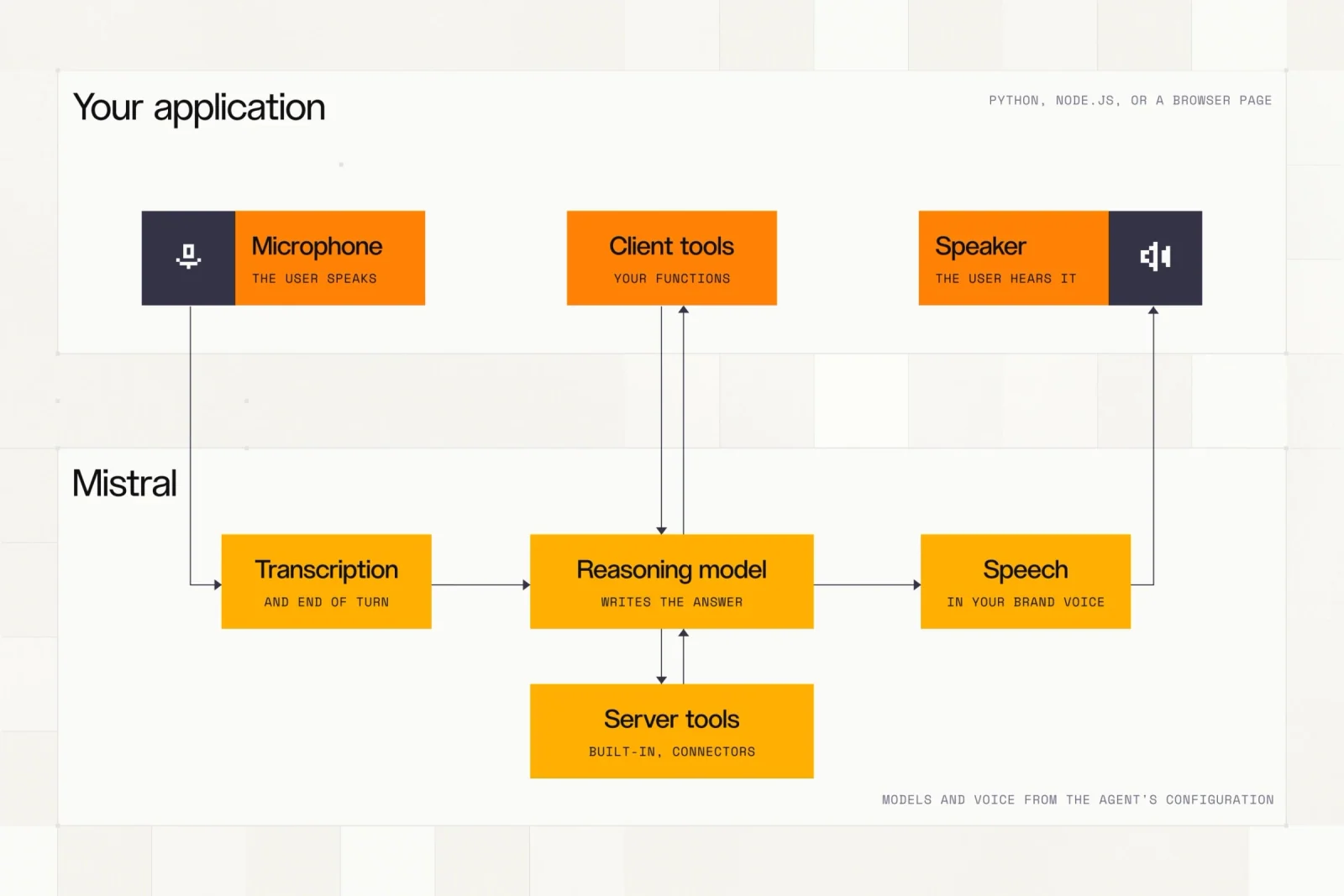
Mistral’s Voice Agents SDK uses LiveKit for audio transport and offers Python and TypeScript bindings. It manages capture, transcription, a model’s answer, speech generation and playback, while the application defines the agent’s knowledge and tools. Users can interrupt spoken replies. Voice-agent documentation
The deployment path depends on the interface. A local or server application can use Python or Node.js; a browser application uses TypeScript with a session created by its server, keeping the API key away from the page. SIP telephony is available to enterprise customers through their account team at launch. Teams can also assemble their own transcription, chat-model and speech pipeline when they need control over individual stages. Integration paths
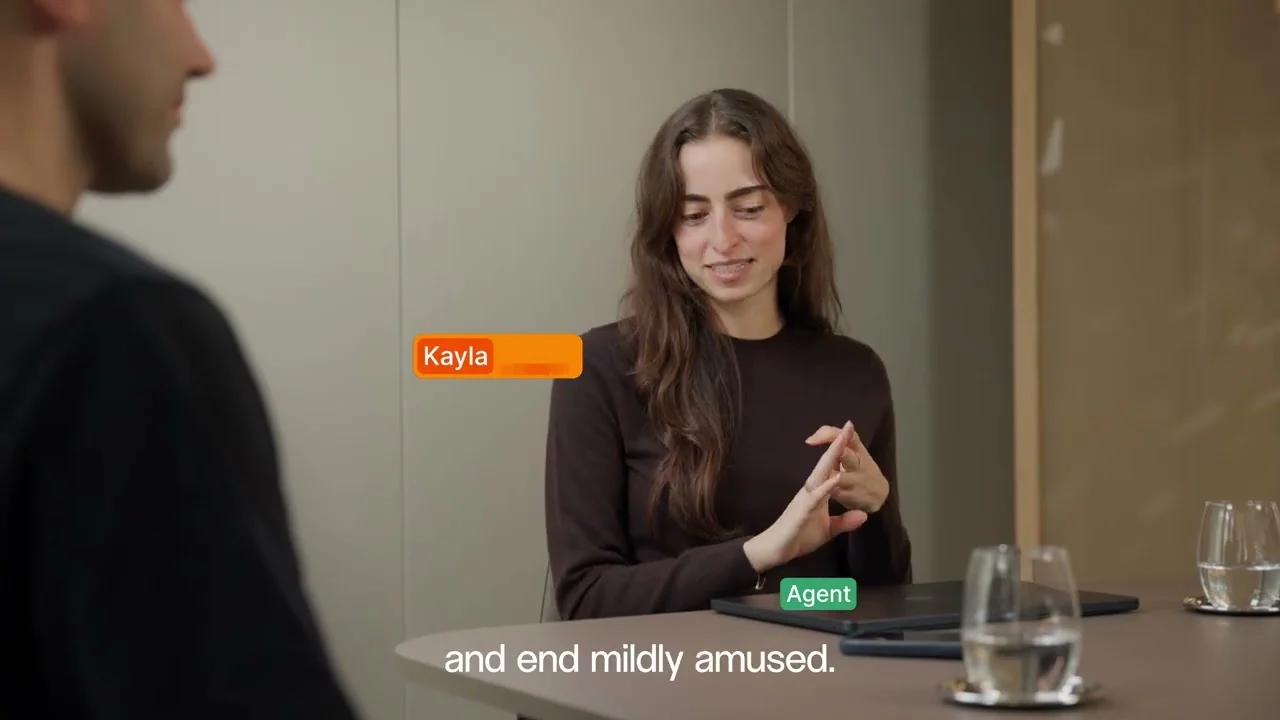
Mistral’s launch demonstration illustrates a multilingual appointment-booking call: an agent works with a French referral and uses tools to retrieve information and book a slot. This is Mistral’s demonstration, not an independently verified customer deployment. It shows the intended application pattern: speech is the interface, while connected business functions perform the action. Official demonstration
Source: Mistral voice-agent SDK overview.
Voxtral 3 access, deployment and evaluation limits
Voxtral 3 is available through Mistral’s API with European, US and global endpoints, alongside Studio playgrounds for transcription, speech generation, cloning and agents. The announcement lists voice-agent API rates of $0.04 per minute with Mistral Small 4 and $0.08 per minute with a larger model. For the full stack on private infrastructure or in a private cloud, Mistral directs organizations to its sales team. Public API pricing does not establish a self-deployment license or infrastructure cost. Access and pricing
Before selecting a deployment, a team should establish which audio must be retained, where processing should occur and which application functions the agent may invoke. It should also test interrupted speech and failed tool calls. These are application requirements to verify during evaluation; the release announcement is not evidence that a particular deployment already meets them.
A useful pilot keeps three measurements separate: transcript corrections, time until the first audible reply and successful completion of the requested task. Those outcomes answer different questions. An agent can transcribe a request correctly and still fail to retrieve an appointment, or complete a tool call but speak too late for a comfortable exchange. Keeping those measurements separate also makes it easier to locate whether an issue sits in audio processing, application logic or delivery.
Frequently asked questions
Is Voxtral 3 one model?
No. It is a family that includes distinct recorded-transcription, realtime-transcription and speech-generation models, plus a voice-agent SDK. Model choice begins with the task and audio mode. Speech-to-text guide
Does the SDK replace the application’s tools?
The SDK runs the voice pipeline. Developers still supply the instructions, knowledge and functions that determine what an agent can do during a conversation. Voice-agent guide
Can TTS use any written style instruction at launch?
The documentation says free-form style instructions are unavailable at launch. It lists inline emotion and pace tags and custom pronunciation as supported controls for offline speech requests. TTS feature table