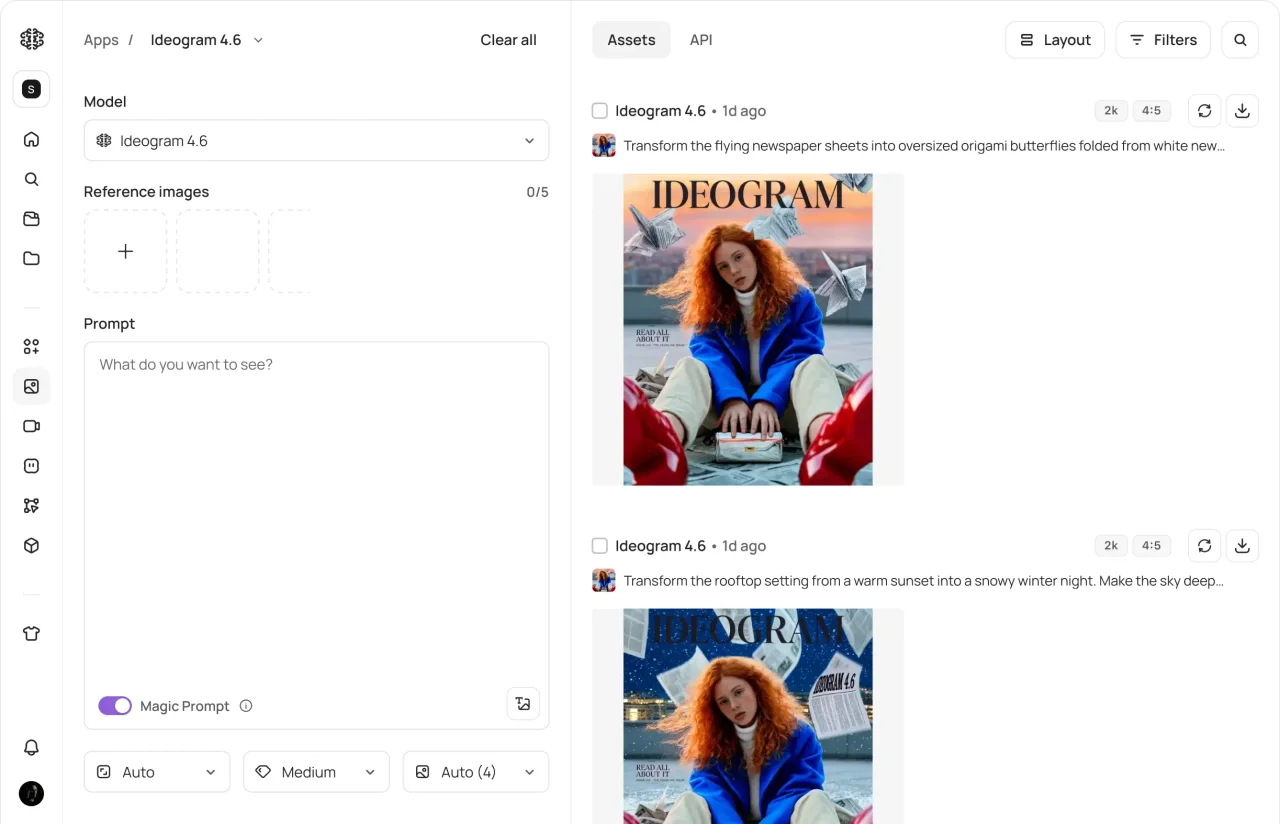
Ideogram released version 4.6 on November 19. The model brings two distinct controls to an image-editing workflow. Generate can start a new composition with a prompt and up to five reference images. Precise Edit takes an existing image and a change request, with an optional mask to identify the part that needs work. Ideogram’s 4.6 release and visual examples
When the client changes just one detail
Consider a product card whose layout is already approved. If the brief changes from a blue sleeve to a green one, paint a mask over the sleeve and describe the replacement color. On the returned image, compare the seam, the printed label and the edge where the sleeve meets the hand. Keeping the previous image open makes changes outside the requested area easy to spot. Ideogram’s examples let readers step through successive edits to the same subject.
Which settings carry through to delivery
The model offers four quality settings. The lowest setting tops out at 2K, while higher settings offer 4K output. For a new campaign layout built from a product photo and two art references, Generate accepts all three together. Once the composition is approved, Precise Edit provides the narrower control for a last change. Runway also lists Ideogram 4.6 for its paid plans, with text-to-image, image-to-image and mask editing. Ideogram API overview · Runway’s November 19 changelog