
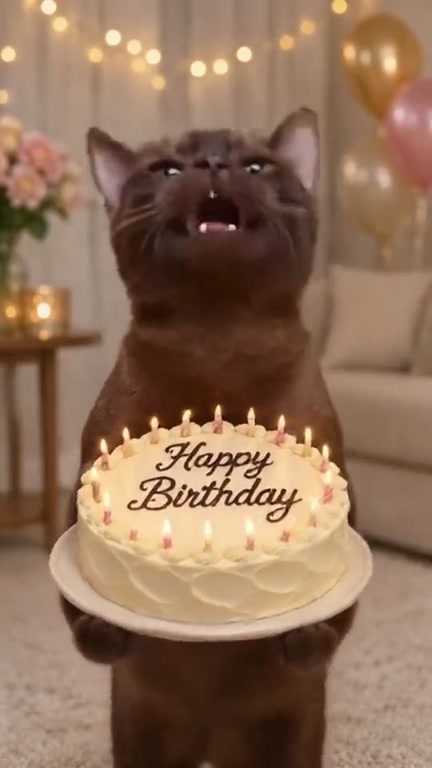
Who is the pet singing to? A name can turn a clip that the whole family has seen into a birthday message for one person. There are already two things to read in @momruoy7’s cake performance: the greeting written on the icing and the expression above it. A third line stretched across the middle competes with both.
If the name is short, try it beside the scene
Pause on the big head tilt. Mark the highest ear and the top of the candles with your eyes. Now play through the last glance. A name sitting neatly above the nose on one frame can turn into a moustache on the next. Try a small “For Maya” in a corner, keeping enough room for the buttons your sharing app draws over the video. Warm fairy lights can make thin white letters disappear. A plain dark backing under the words is easier to check than adding a heavier outline around every letter.
If the message is a sentence, give it the next beat
“Happy birthday from both of us, love Milo and Bea” needs more reading time than a two-word name. Let the cat finish, then put the longer note on a separate end card in your sharing editor. Another option is to send the sentence in the chat itself. That works particularly well if everyone should hear the final note and see the look that follows it.
Play the Singing Birthday Cat template once at the size your friend will actually see on a phone. Can you read the name while still noticing the cat close its mouth? If you need to pause to manage both, the longer end card is the better home for that message.
