Boom Clap Confetti AI Video Generator
The performer crosses their arms, opens them on the chorus and catches a shower of silver. Five seconds later the paper turns gold. In Boom Clap Confetti AI, one portrait casts the performer in front of the white staircase.
- 1 portrait
- About 12 seconds
- 9:16 vertical
- Reference sound
A real example from Mianvo
We used one AI portrait and the original Boom Clap clip to make this 12-second video. The new performer opens her arms to the original music as silver and then gold confetti falls.
How we made this video

A front-facing portrait of a fictional adult supplied the short curls and teal shirt. The white staircase, camera angle and gestures came from the reference video.
How does the audio match?We kept the original sound. At two points near the beginning and end, the output track was about 0.09 seconds ahead of the reference. The music is the same. The model recreated the mouth movements.
The prompt we used
Why choose Mianvo?
Drag the divider on our test clip before choosing a portrait. You can see whether the silver and gold confetti fall on the same beats as in the original.
- Credits back if generation fails
- See the credit cost before you generate. If the job is confirmed failed and no video was delivered, we return the credits reserved for it.
- Your photos stay private
- The selected model provider processes your photos. They stay private, and Mianvo does not use them to train its own AI models. You decide whether to publish your video.
- Automatic photo cleanup
- Original photos stored by Mianvo enter automatic cleanup 24 hours after upload. If a queued or running job still needs a photo, cleanup waits until that job ends.
The original and output at the same moment
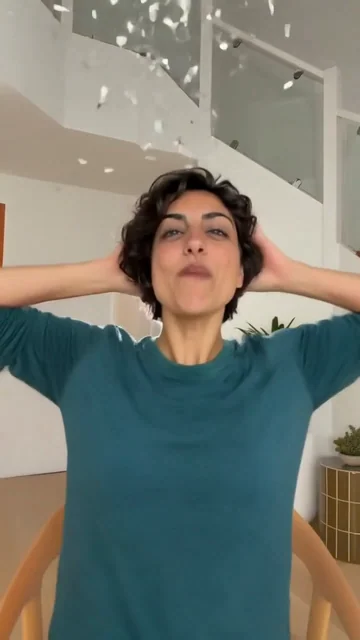
2.25 sSilver confetti falls
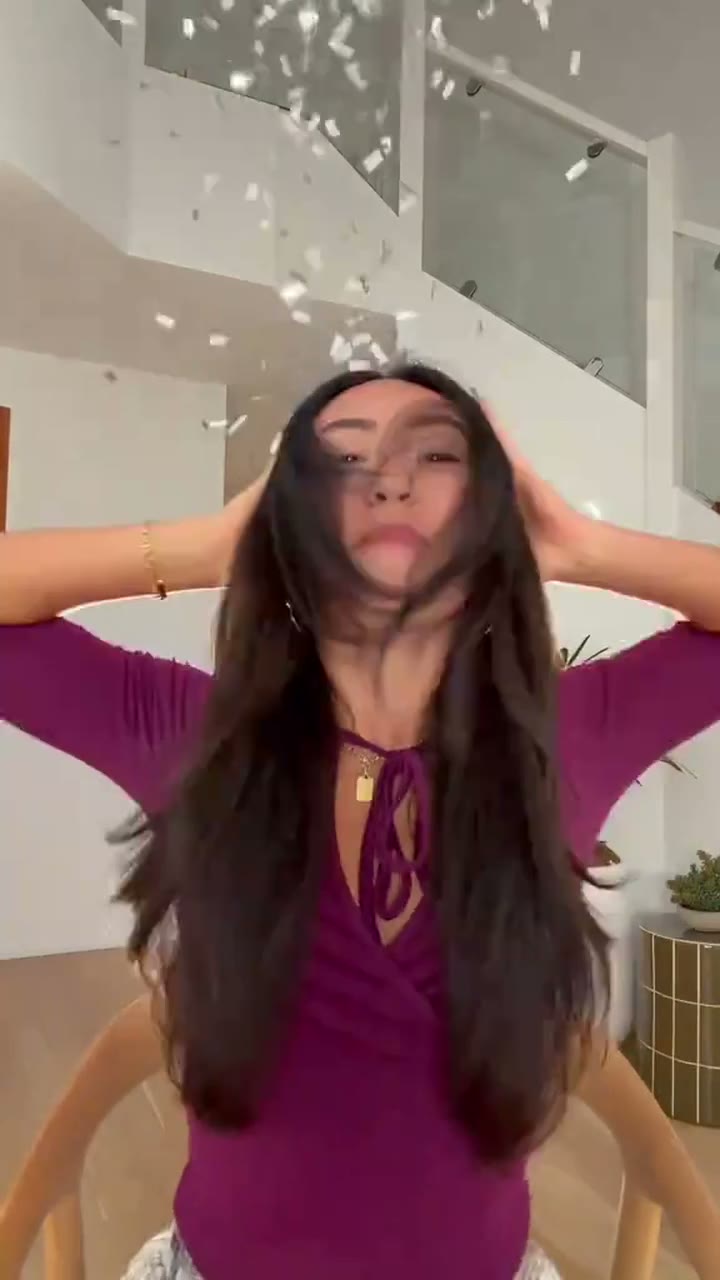
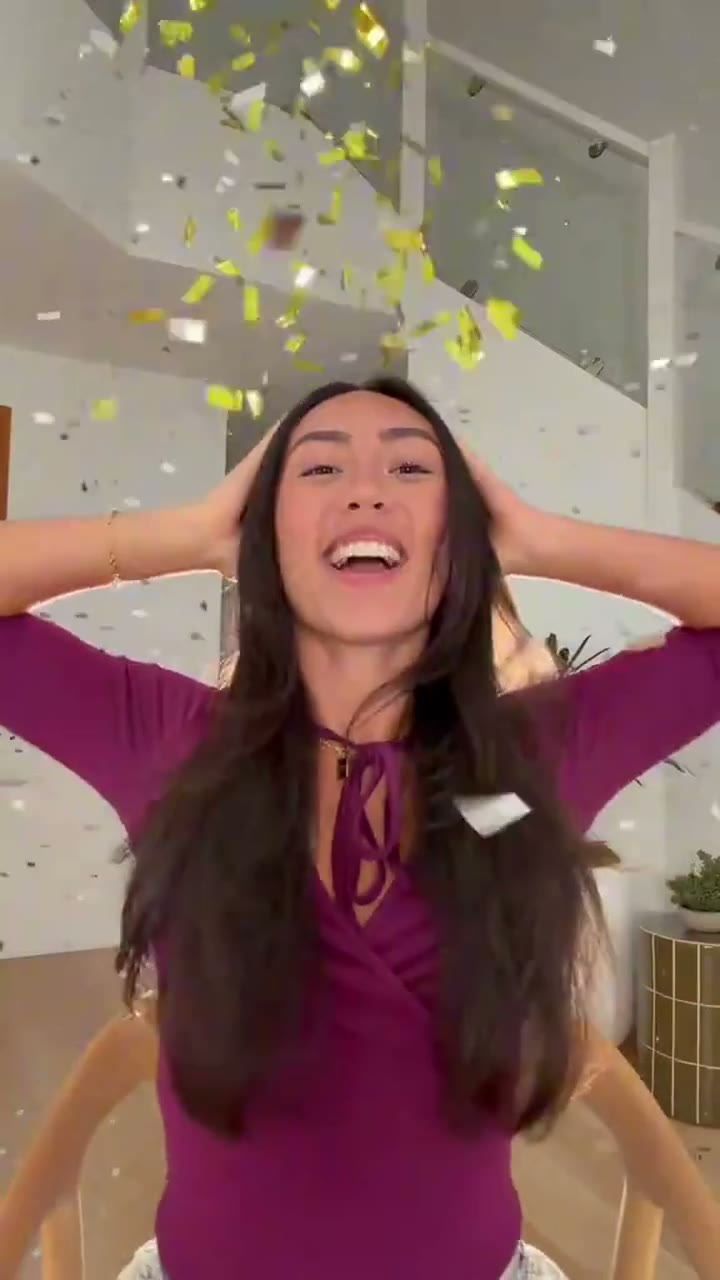
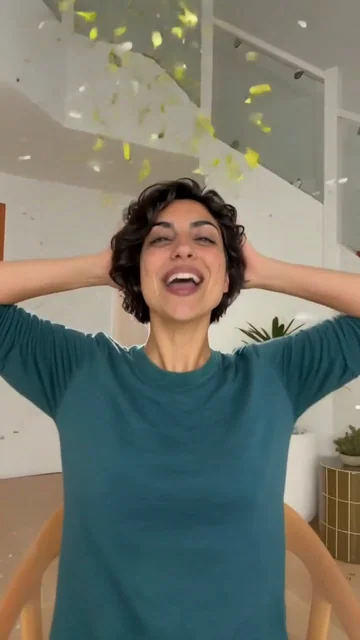
7.65 sThe second burst turns gold
Catch the two confetti bursts in the reference
Watch the room above the performer’s head. The first burst drops silver paper. The second introduces yellow-gold pieces while some of the silver is still falling.
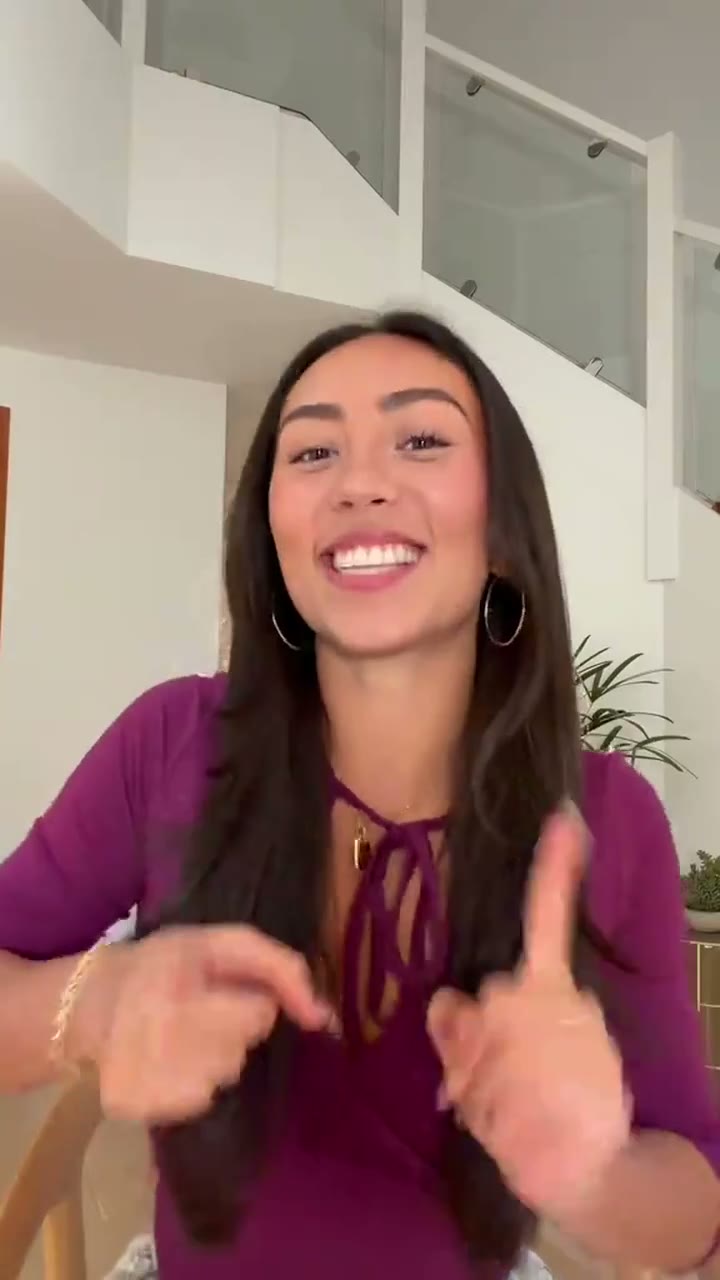
Before any paper falls
The performer faces the phone and gestures in a bright room. The fixed framing leaves the white staircase and the top of the shot clear.
Silver on the first beat
As the arms come open, silver-white paper enters from above. The performer flinches and lifts their hands beside their hair.
Gold on the second beat
Yellow-gold paper adds a second shower while a few silver pieces are still coming down. The performer grins through the falling paper.
Choose a portrait for the performer
Pick a front-facing or slightly turned portrait of one fictional adult. A chest-up crop leaves the neckline and shoulders visible when the performer crosses their arms. Leave a little room above the hair. The template supplies the white staircase, the hand movements and the music, so a photo taken against a plain wall works well.
Look at the eyes and the corners of the mouth before you choose. The performer mouths the chorus, flinches as the silver paper drops, then smiles through the gold. A softly lit portrait with the whole face visible gives you a way to recognize that expression even when a few pieces of paper pass the cheeks.
The default Boom Clap prompt
In the editor, @Image1 is the portrait you choose and @Video1 is the staircase clip already attached to the template. The opening lines tell the model whose face and clothing to use. The last lines tie each shower of paper to a particular opening of the performer’s arms.
Edit @Video1. Replace the single performer throughout with the adult character in @Image1, matching their face, hairstyle and clothing. Keep the fixed vertical framing, white staircase and daylight. Follow the original gestures and mouth movements to the original soundtrack. On the first arm opening around 2 seconds, silver-white paper falls from overhead. On the next opening around 7.25 seconds, a separate burst of gold paper falls. Keep the pause between bursts and the original ending.
Turn the second burst blue
To try a different color, open the editor and replace the sentence about gold paper with this line.
“On the next opening around 7.25 seconds, a separate burst of blue paper falls from overhead.”
Keep the silver-white burst at about 2 seconds and the pause between the two bursts. Play the result with sound and watch the space above the performer’s head as their arms open again. You may still see a few silver pieces drifting past their shoulders when the blue arrives. That overlap is in the original clip too.
The Boom Clap Confetti reference
The trend takes the chorus of Charli XCX’s “Boom Clap” and gives it a physical punch line: off-camera confetti hits on the beat while the performer stays in the shot.
The song behind the two beats
Charli XCX released the official “Boom Clap” video for The Fault in Our Stars soundtrack. The chorus supplies the two accents the confetti performers use for their hand movements.
Watch the official music videoA look behind the chair
In @vanessa_zinner’s version the camera also catches the person crouched behind the chair with the party popper. You can see where the shower comes from before looking back at the seated performer.
See the behind-the-scenes angle on TikTok@cadelandmia posts the silver-and-gold take
This is the two-burst living-room version used on this page. One fixed shot captures the gestures, the drops and the performer’s reaction.
Watch @cadelandmia on TikTok
Frequently asked questions
Do I need a picture with a confetti cannon or a second person?
One portrait is enough. The fixed video supplies the room, movement and falling paper. Anyone operating the cannon stays off camera.
What kind of portrait did you use for the test?
We used a front-facing, AI-generated portrait of a fictional adult with short curls and a teal shirt. You can open the input photo beside the test clip and see how the hairline and collar look once the performer starts moving.
Can I use a real person’s photo or share the result publicly?
Mianvo provides the video tool. You are responsible for the material you upload and how you use the result. You need permission to use someone else’s likeness or voice. Real-person face swaps and impersonation are prohibited, even with consent. Before sharing, make sure you have the rights to publish the visuals and music. Do not present an AI-generated clip as genuine footage. To report infringement, send the page link or task ID to support@mail.mianvo.com. We review reports and take action under applicable law. For Boom Clap, use a portrait of a fictional adult that you have the rights to use, or try the example portrait.
How tightly should I crop the portrait?
Keep the character’s whole face and hairline in frame. Leave some room below the chin so the shoulders stay visible when the performer turns.
Does the video have sound?
Yes. This edit keeps the reference soundtrack. Open the speaker control in the player and listen through both bursts. The mouth movements are redrawn as part of the video.
Will the confetti and lip-sync line up exactly?
The preset aims for the first burst around two seconds and the second around 7.25 seconds, guided by the reference. The model can vary the gestures and mouth movements. Check the result with sound before posting.
Can I change the confetti colors and keep the same beat?
Yes. Open Edit prompt and replace the color for each burst while keeping its time and direction. For example, try a small silver burst first and blue paper on the second beat.
Do I need to upload the reference video?
The template already has the 12.25-second staircase clip and its sound. Bring one portrait and check the credit amount on the generate button. You can try the comparison player and read the actual test prompt before submitting anything.