Rollie On My Wrist AI Video Generator
Two photos. One shoulder-carry turn and face reveal.
- 2 identity photos
- About 9 seconds
- 9:16 video
- Reference-driven edit
How the Rollie shoulder-carry reveal works
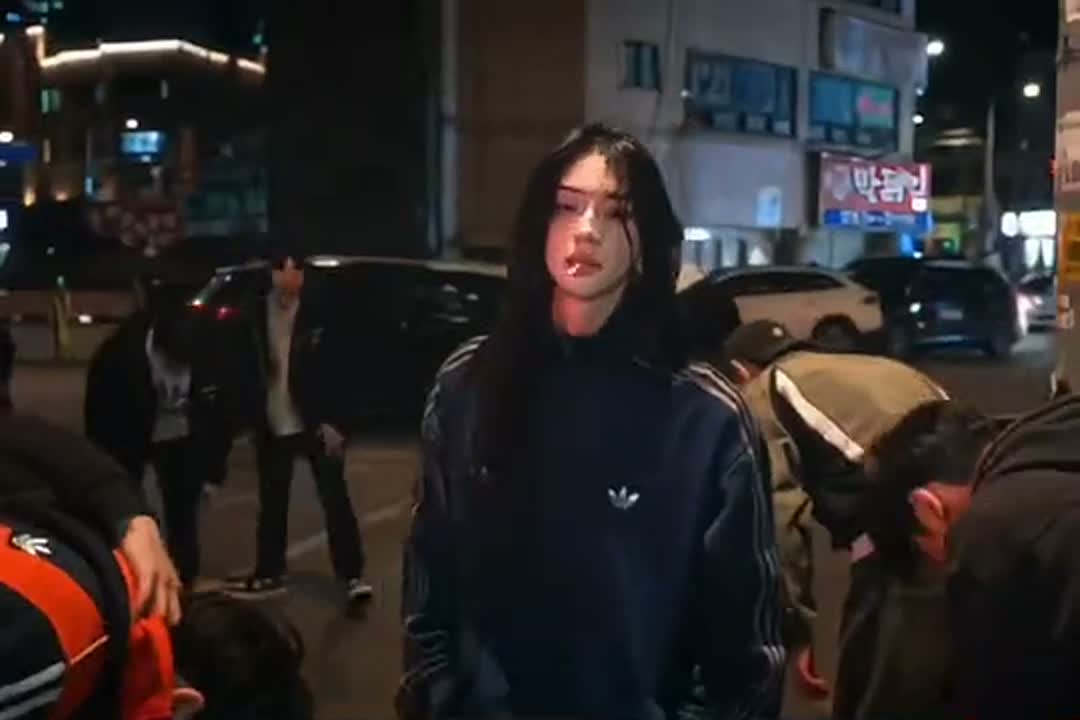
Rollie On My Wrist AI puts two people into a shoulder-carry reveal. At the start you see the standing person. As they turn, the person lying across their shoulders comes into view. The two photos decide who plays each role, and the reference clip guides the turn, room and camera.
View TikTok source @nataliireynoldssWhich portrait goes in each slot?
Use two separate portraits. The first person stands and carries the second. The second person lies sideways across their shoulders and gets the final face reveal. Choose a clear front or three-quarter view of each face, with the hairline and jaw visible. There is no need to pose together or match the festive outfits in the clip.
How does the prompt keep the carrier and rider apart?
In the prompt, @Image1 belongs to the standing carrier and @Image2 to the rider. @Video1 supplies the turn, room, clothing and soundtrack. The rider stays horizontal as the carrier turns, even while one face briefly passes behind the other person’s shoulder. That position sets up the reveal at the end.
Edit @Video1 using two separate character identities. @Image1 replaces only the standing carrier who supports the other person across their shoulders. @Image2 replaces only the person lying horizontally across the carrier's shoulders. Keep these roles separate throughout the clip, including the final face reveal. Preserve each person's facial structure, skin tone, hair and recognizable identity from their assigned photo. Follow the reference's full turn, body positions, camera framing, room, festive clothing, pacing and final reveal. Keep the rider horizontal; do not turn this into a piggyback ride or an upright shoulder seat. The carrier remains the carrier even when their head is partly hidden. Maintain two distinct people, plausible hands and limbs, and a secure carry. Keep the original soundtrack and duration. Do not add captions, logos, extra people, face swaps between roles or extra limbs.
Can I change the expression at the reveal?
Try adding “When the rider’s face comes fully into view at the end, give the rider a small smile.” Keep the role names and the direction of the turn in the prompt. On playback, follow the rider through the overlap and check that the smile belongs to the second portrait.
Create your video in three steps
- 01
Upload your photos
Upload a clear photo for the standing carrier and a different photo for the person being carried. Match each image to its labelled role.
- 02
Review credits
Check that each photo is in the right slot. The generation button shows the credit cost once both photos are ready.
- 03
Generate & download
Generate the edit, then check the two faces, shoulder position and final reveal before downloading.
Rollie On My Wrist AI FAQ
What does each photo control?
The first photo controls the standing carrier. The second controls the rider lying across the shoulders. Uploading them in reverse changes who appears in each role.
Do I need to film the shoulder carry?
No. The built-in reference supplies the carry, turn, room and timing. Your photos supply the two identities.
Can I use one photo of both people?
Use two separate portraits. A group photo can make the intended identity ambiguous, especially when one face becomes partly hidden during the turn.
Is the reference an actual Mianvo result?
The player shows the clip used to guide the edit. Once you start generating, you can follow the task and open your own video under Your video.
Can the faces change during the turn?
Occlusion and overlapping bodies make this a difficult edit. Clear portraits help, but face consistency, hands and the final reveal can vary. Review the full output rather than only the opening frame.
How many credits does the shoulder-carry edit use?
For this nine-second edit, Kling Standard at 720p uses 480 credits. Kling Pro at 1080p uses 1,020 credits. Both use the same turn and original soundtrack.
Can I use a real person’s photo or share the result publicly?
Mianvo provides the video tool. You are responsible for the material you upload and how you use the result. You need permission to use someone else’s likeness or voice. Real-person face swaps and impersonation are prohibited, even with consent. Before sharing, make sure you have the rights to publish the visuals and music. Do not present an AI-generated clip as genuine footage. To report infringement, send the page link or task ID to support@mail.mianvo.com. We review reports and take action under applicable law.